

Visual Studio Code
Visual Studio Code (VS Code) is a popular code editor that provides a wide range of features and extensions to enhance your development experience.
Turn off autocomplete in your IDE
All icons are exported from the main module. This can create a lot of noise in the autocomplete suggestions of your IDE. You can turn this off by adding the following setting to your VS Code settings.
json
{
  "js/ts.preferences.autoImportFileExcludePatterns": [
    "lucide-react", // or
    "lucide-preact", // or
    "lucide-react-native", // or
    "@lucide/vue",
  ]
}
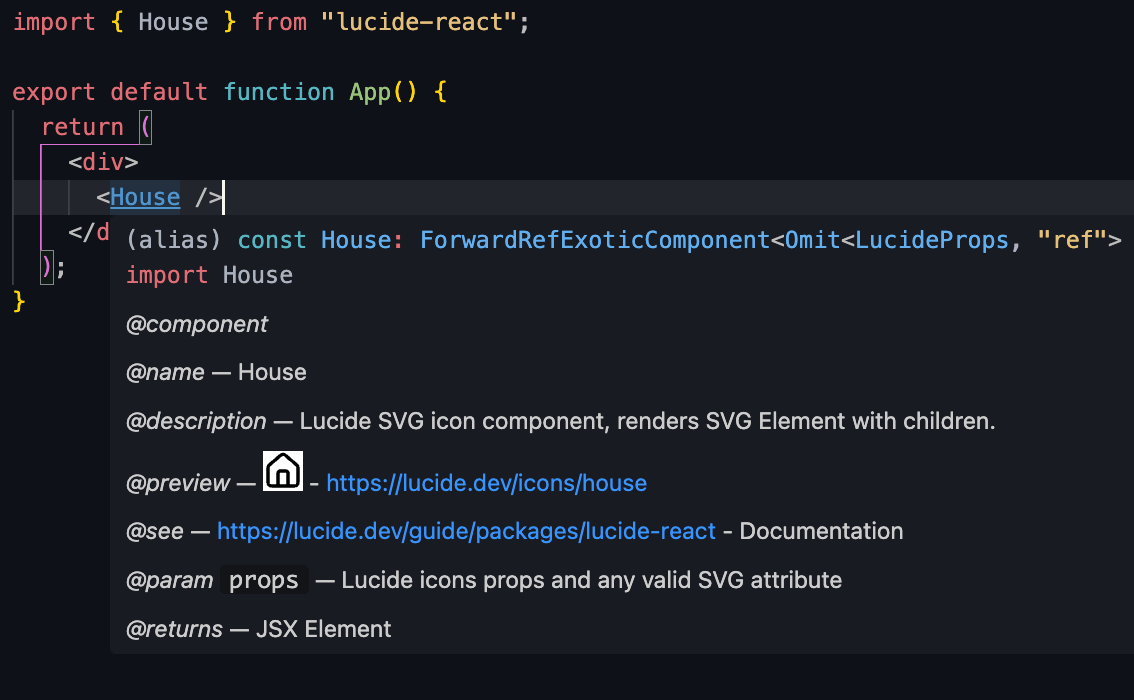
JS Docs and icon preview
Each icon is provided with JS docs. In VS Code, you can hover over the icon component to see the JSdocs.
Also a little preview of the icon is shown.
Third party plugins
There are several third party plugins available for VS Code that provide additional features for working with Lucide icons.
See the VSCode Marketplace for available extensions.