

Affinity Designer template guide
This guide explains how to use the Affinity Designer template for Lucide.
Workflow
Affinity Designer uses points for strokes by default. Change strokes to pixels before drawing. Open
Preferences > User Interface, then underDecimal Places for Unit Types, uncheckShow Lines in points.
Download and open the Affinity Designer template.
Follow the design language while designing your icon.
Export the file as SVG with
File > Export. Set rasterization to Nothing, check Export text as curves, check Use hex colors, and check Flatten transforms.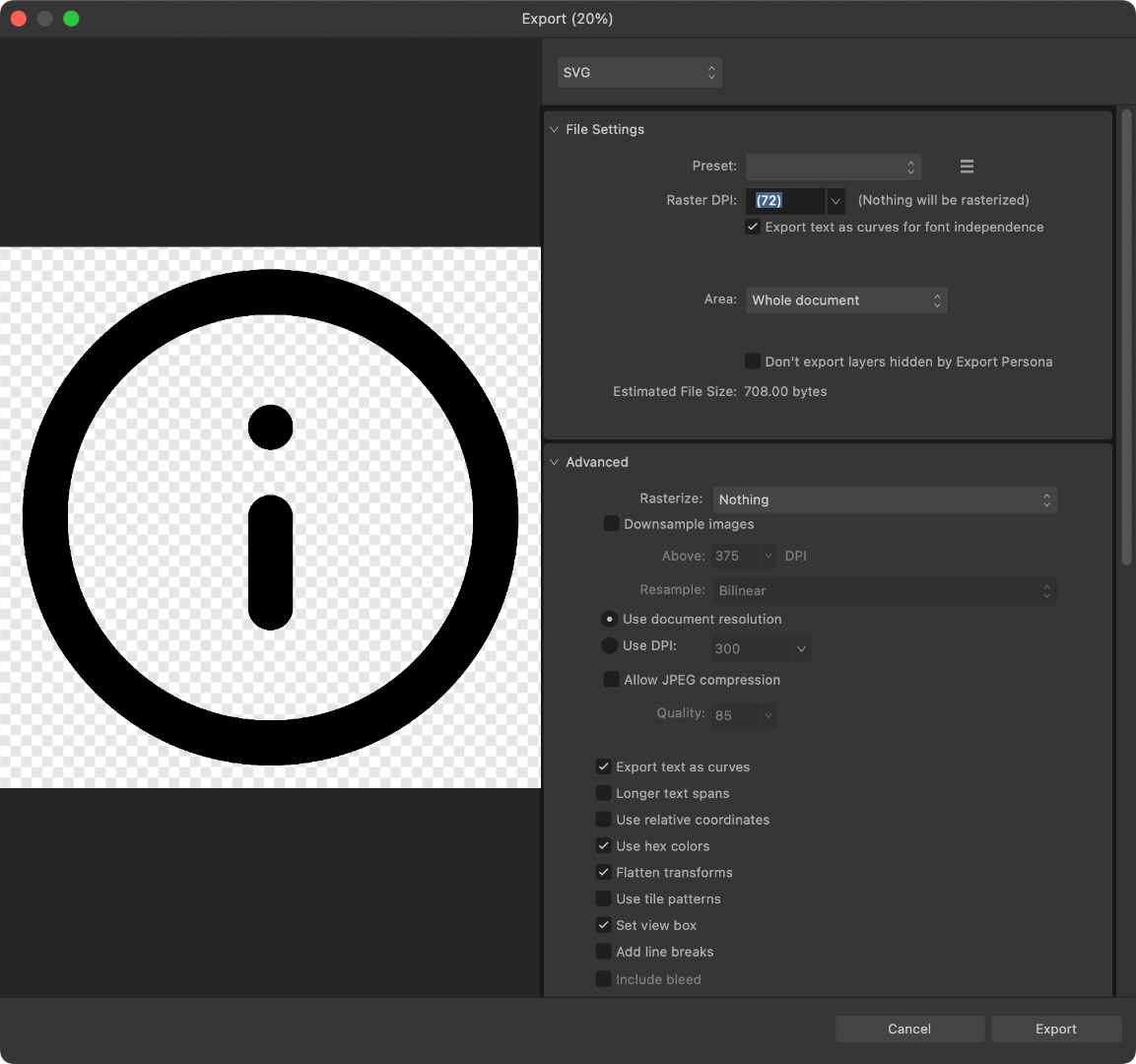
Optimize the exported SVG with Lucide Studio.