

Adobe Illustrator template guide
This guide explains how to use the Adobe Illustrator template for Lucide.
Templates can fall out of date. Check the design language before you start.
Workflow
The Illustrator template follows the design language.
Download and open the Illustrator template.
Remove the content from the example logo layer (
Draw) and start drawing.Check that your icon follows the design language.
Before export, remove unnecessary layers, especially
PaddingandGrid.Export the file with
Export > Export As..., then save it as SVG. Use these SVG options: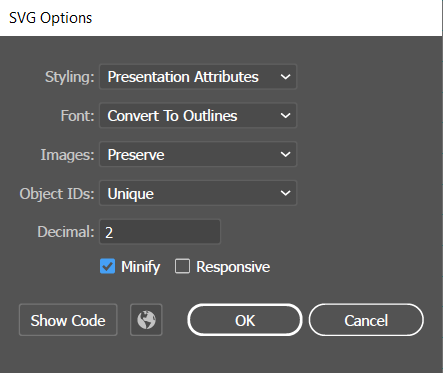
Optimize your SVG with Lucide Studio